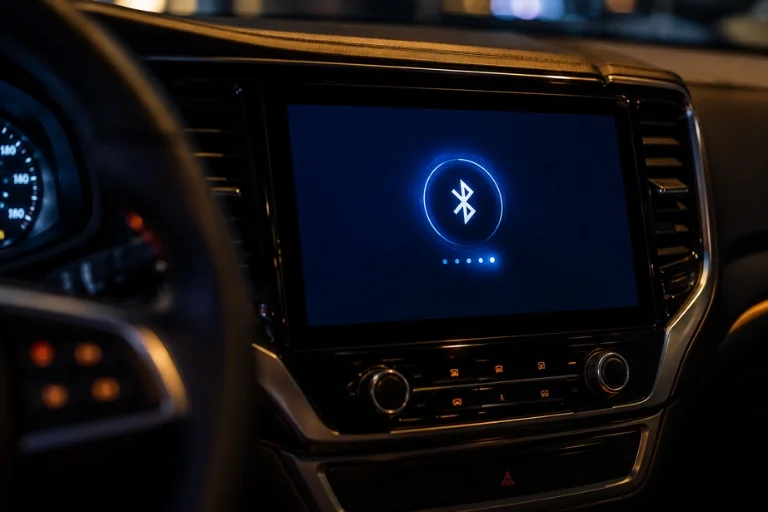
You climb in, start the engine, hit that Bluetooth button… and nothing happens. No chime, no music, no hands-free calling. If this sounds familiar, take a breath — you’re far from the only one dealing with it. Bluetooth pairing issues are probably the most common complaint drivers have with their in-car tech, right up there with backup cameras acting glitchy in the rain. Here’s the thing though — it’s rarely the hardware’s fault.
Most of the time you’re looking at something small — a forgotten setting, a phone that needs an update, or your car trying to juggle three previously-paired devices at once and getting confused about which one to talk to. None of that requires a trip to the dealership. Below, we’ll go through the usual suspects behind Bluetooth connection failures and give you some real steps to try, starting with the easiest fixes first.
Why Your Car’s Bluetooth Suddenly Stops Working
Bluetooth issues rarely come out of nowhere. Something usually changes — a phone update, a new device added to the mix, or just enough time passing that the connection gets flaky. Here are the usual suspects:
- Outdated software on either your phone or your car’s infotainment system. Bluetooth relies on both sides speaking the same “language,” and an update on one end without the other can break that.
- Too many paired devices clogging up the car’s memory. Most systems have a limit, and once you hit it, new connections start failing.
- Phone and car compatibility gaps — not every phone plays nicely with every infotainment system, especially older vehicles paired with newer phones (or vice versa).
- Signal interference from other electronics in the cabin: GPS units, other people’s phones, dash cams, even some aftermarket accessories.
- A stuck connection where your phone thinks it’s paired but the car disagrees, or the other way around.
- Actual hardware failure, which is rare, but it happens — usually with older stereos or a failing Bluetooth module.
Bluetooth and infotainment issues are among the most searched complaints on older vehicles — and sometimes they’re a sign that the entire head unit or electrical system needs attention. For drivers whose vehicles are showing multiple electrical and mechanical issues simultaneously, Tagore AutoParts stocks a full range of used engines for popular makes and models across the USA.
Quick Checks Before You Do Anything Else
Before diving into settings menus, run through this fast checklist. It solves the problem more often than you’d think.
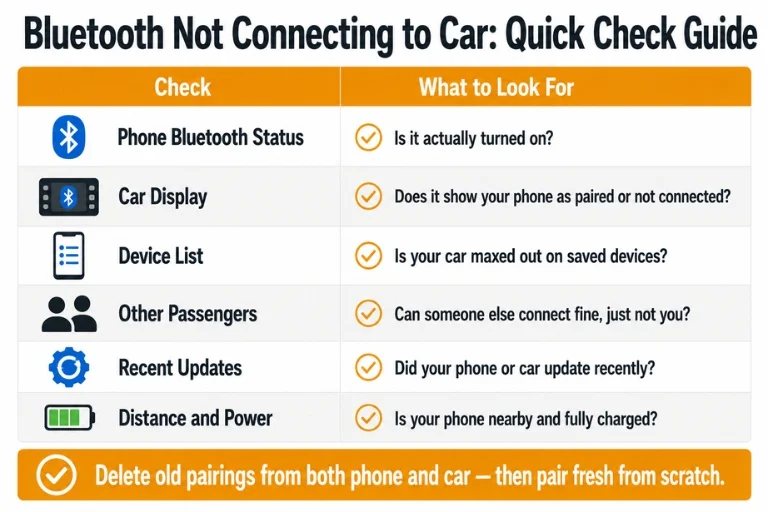
| Check | What to Look For |
| Phone Bluetooth status | Is it actually turned on? |
| Car display | Does it show your phone as “paired” or “not connected”? |
| Device list | Is your car maxed out on saved devices? |
| Other passengers | Can someone else connect fine, just not you? |
| Recent updates | Did your phone or car update recently? |
| Distance/power | Is your phone nearby and charged? |
If everything checks out and it’s still not connecting, it’s time to go a level deeper.
How to Fix a Bluetooth Connection That Won’t Cooperate
Reset the Bluetooth Settings in Your Car
Sometimes the simplest fix is wiping the slate clean. Most infotainment systems have an option buried in settings to reset Bluetooth to factory defaults — check your owner’s manual if you can’t find it. Just know you’ll need to re-pair every device afterward, so don’t do this right before a road trip unless you’ve got a few minutes to spare.
Update Everything — Car and Phone
If your car Bluetooth not connecting issue started right after an iOS or Android update, that’s not a coincidence. Manufacturers push updates that sometimes fall out of sync with older vehicle software. Check your infotainment menu for a system update option, and make sure your phone is current too. If your car doesn’t support wireless updates, a trip to the dealer might be necessary to get it patched. For older vehicles where infotainment software updates are no longer available, upgrading to an aftermarket head unit is often the most practical path forward — and if that inspection also reveals drivetrain wear, Tagore AutoParts carries reliable used transmissions for a wide range of makes and models.
Forget the Device and Start Fresh
Rather than just trying to reconnect, delete the pairing entirely from both your phone and your car, then pair them again from scratch. This clears out any corrupted pairing data that a simple reconnect won’t fix.
Clear Out the Competition
If your car’s Bluetooth memory is full of old devices — a previous owner’s phone, an ex’s number, whatever — go in and delete the ones you don’t use. Give your current phone room to actually connect.
Cut Down on Interference
If you’ve got a phone mount with a charging cable, a dash cam, a GPS unit, and three other passengers all with Bluetooth on, that’s a lot of competing signals. Try turning off unnecessary devices one at a time to see if the connection improves.
Consider a Bluetooth Adapter
If you’ve ruled out everything else and it still won’t connect, a plug-in Bluetooth adapter or a new aftermarket head unit can bypass the problem entirely. It’s not the most elegant fix, but it works, and it’s a lot cheaper than diagnosing a bad Bluetooth module. For a trusted independent reference on Bluetooth adapter compatibility and aftermarket head unit options for specific vehicle makes. For Honda Civic and compact car owners where aftermarket stereo upgrades are especially popular, Tagore AutoParts also stocks used Honda Civic engines for drivers addressing mechanical wear alongside their tech upgrades.
When It’s Time to Call a Professional
If you have tried everything mentioned above and still your Bluetooth is not connecting to the car then the problem might be in your car’s hardware. Infotainment systems are often proprietary, which often means that the common shops may not have tools to diagnose it properly — a dealership is usually your best bet at that point. In that situation, your best move is usually the dealership. I know that’s not the answer you were hoping for. Nobody wants to hear “take it to the dealer.” But it beats the alternative — throwing money at random parts that were never actually broken, hoping one of them happens to fix it.
For vehicles where a dealership visit has also flagged engine or transmission concerns alongside the infotainment fault, Tagore AutoParts stocks used Toyota Camry engines and other popular sedan and SUV engines to support cost-effective repairs nationwide.
Conclusion
A car that won’t connect to your phone is annoying, but it’s rarely a mystery once you work through it systematically. Start with the basics, work your way through resets and updates, and clear out anything that’s cluttering the connection. Most of the time, you’ll be back to hands-free calls and streaming music within a few minutes — no mechanic required. If you’ve tried everything here and you’re still stuck, don’t hesitate to get a professional opinion before spending money on parts you might not actually need.
For all your vehicle parts needs — from infotainment components to complete used engines and transmissions — trust Tagore AutoParts, your reliable autoparts supplier serving customers nationwide.
Frequently Asked Questions
Can having too many paired devices actually cause problems?
Too many paired devices can create a lot of issues as it can lead to connection drops, audio stuttering, and slow performance.
If I update my phone, will that fix the Bluetooth issues?
Well, it is not guaranteed that updating your phone can fix the Bluetooth issue in your car if there is a bug in the software.
How to fix Bluetooth issues in car?
To fix the Bluetooth issues in your car you must reset the connection settings and turn your car’s Bluetooth to pairing mode.
Why is my Bluetooth Not Connecting to Car?
Your Bluetooth is not working in your car because of the pairing mode issues, outdated software, wrong profiles and other glitches.